
Why Google Business Profile Still Drives Local Traffic in 2026
If nearly half of all Google searches have local intent, where do users actually take action? In many cases, it happens directly on the search results page through Google Business Profile.
In 2026, local search continues to play a major role in how customers discover businesses. Millions of users rely on Google to find nearby services, check reviews, and make quick decisions.
Your Google Business Profile works like a first impression. It gives users quick access to your services, reviews, location, and contact options without needing to visit your website.
Search behavior has also shifted, with more users getting answers directly from Google. This makes your profile one of the most important touchpoints in the customer journey.
When your profile appears in local results, it can drive real actions such as calls, website visits, and direction requests.
In simple terms, your profile is one of the fastest ways to turn local visibility into actual customer engagement.
Understanding How Google Ranks Business Profiles
Core Ranking Factors That Drive Visibility
Google uses three main factors to decide how business profiles appear in local search results: relevance, distance, and prominence.
Relevance: Matching Search Intent Accurately
Relevance is about how well your business matches what a user is searching for. This depends on your category, services, and overall profile content.
Distance: Proximity to the Searcher
Distance is based on how close your business is to the searcher or the location mentioned in the query.
Prominence: Authority and Trust Signals
Prominence reflects how well-known your business is. This includes reviews, online mentions, and overall reputation.
Behavioral Signals That Influence Visibility
Google also looks at how users interact with your profile over time.
Clicks, Calls, and Direction Requests
Higher engagement through clicks, calls, and direction requests shows that users find your profile helpful.
Profile Activity and Updates
Regular updates show that your business is active and maintained.
User Engagement Signals
Reviews, responses, and Q&A activity contribute to stronger engagement signals.
Step 1 – Claim, Verify, and Secure Your Profile
Claiming and Verification Essentials
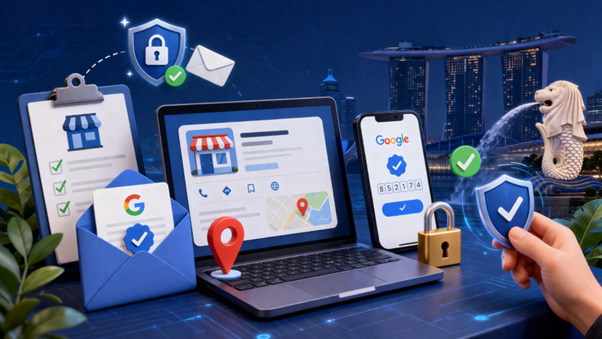
Before optimizing your profile, you need full control of it. That starts with claiming and verifying your listing.
Claim Your Listing or Create a New One
Search for your business on Google and claim it if it exists, or create a new listing if it does not.
Choose a Verification Method
Verification methods may include postcard, phone, or email, depending on your business type.
Avoiding Common Setup Mistakes
Duplicate Listings
Duplicate listings can confuse search engines and split your visibility.
Incorrect Ownership
Make sure the correct person manages the profile to avoid access or control issues.
Incomplete Verification
Profiles that are not fully verified may not appear properly in search results.
Step 2 – Build a Complete and Accurate Business Profile
NAP Consistency
Your business name, address, and phone number should be consistent everywhere online.
Exact Match Across Platforms
Keeping your details the same across platforms helps search engines confirm your business.
Why Consistency Matters
Accurate data reduces confusion and improves trust signals.
Core Business Information Optimization
Business Hours
Keep both regular and special hours updated to avoid misleading users.
Website URL and Tracking
Add your website link and track performance using analytics tools where possible.
Service Areas
Clearly define the areas you serve so your profile appears in relevant searches.
Why Completeness Impacts Performance
A complete profile gives users the information they need quickly, which increases the likelihood of action.
Step 3 – Choose the Right Categories and Services
Primary vs Secondary Categories
Primary Category Selection
Choose the category that best represents your main service.
Secondary Categories
Add supporting categories carefully to expand reach without diluting focus.
Service and Product Optimization
List Services Clearly
Include all services using simple, natural language.
Structure for Visibility
Organize services so they are easy to understand.
Detailed Offerings
Clear service details help your profile appear in more specific searches.
Step 4 – Optimize Business Description for SEO
Writing a High-Impact Description
Value Proposition
Explain clearly what you offer and what makes your business different.
Natural Keyword Use
Include relevant terms naturally without forcing them into the text.
Aligning with Search Intent
Focus on Customer Needs
Describe how your services solve real problems.
Local Relevance
Mention your location or service area where it fits naturally.
Step 5 – Use High-Quality Photos and Videos to Increase Engagement

Types of Images to Upload
Add a logo, cover photo, interior and exterior shots, team images, and product visuals.
Impact of Visual Content
Profiles with strong visuals tend to attract more attention and interaction.
Advanced Visual Strategies
360° Tours
Offer a virtual view of your space where possible.
Regular Updates
Update images regularly to keep your profile fresh and engaging.
Step 6 – Generate and Manage Customer Reviews Strategically
Why Reviews Matter
Reviews play a major role in how customers choose a business.
Review Acquisition Strategy
Ethical Requests
Ask satisfied customers for feedback at the right moment.
Timing and Automation
Use simple follow-ups to maintain a steady flow of reviews.
Responding to Reviews
Positive and Negative Responses
Respond professionally to both positive and negative feedback.
Building Credibility
Consistent responses show that you value customer input.
Step 7 – Leverage Google Posts and Updates
Types of Posts
Share offers, updates, events, and announcements to keep your profile active.
How Posts Drive Traffic
Fresh Content Signals
Regular activity shows your business is current and maintained.
Encourage Actions
Well-crafted posts can encourage users to click or contact you.
Step 8 – Optimize GBP Features for Conversions
Key Features to Enable
Enable call buttons, messaging, and booking links where relevant.
Use the Q&A section to address common customer questions in advance.
Enhancing User Experience
Quick Access to Information
Make sure users can quickly find key details like contact info and services.
Reduce Friction
Keep the process simple so users can take action without confusion.
Step 9 – Build Local Authority with Citations and Backlinks
What Are Citations
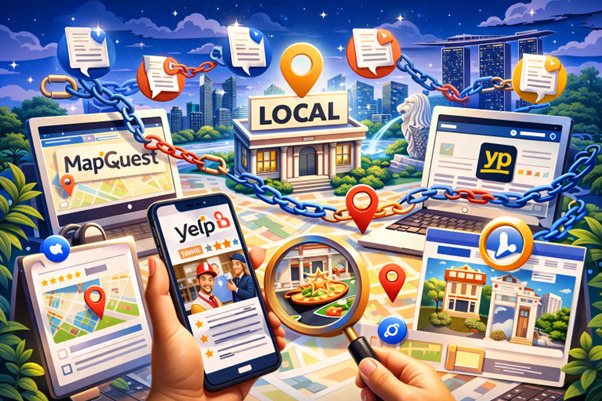
Citations are mentions of your business information across directories and platforms.
Why They Matter
They help confirm your business details and strengthen your online presence.
Consistency Across Platforms
Match Information
Ensure your business details are the same across all listings.
Avoid Conflicts
Remove outdated or duplicate entries that may cause confusion.
Step 10 – Track Performance and Continuously Optimize
Key Metrics to Monitor
Track search queries, website clicks, calls, and direction requests.
Using Data to Improve Results
Identify Trends
Look for patterns in how users find and interact with your profile.
Adjust Strategy
Refine your categories, content, and updates based on performance.
Continuous Optimization Strategy
Regular Updates
Keep your profile updated with fresh information.
Review Generation
Maintain a steady flow of customer feedback.
Competitor Benchmarking
Observe competitors to find areas where you can improve.
Common Google Business Profile Optimization Mistakes to Avoid
- Avoid adding extra keywords to your business name.
- Do not ignore customer reviews or feedback.
- Keep your information accurate and up to date.
- Use clear and high-quality images.
- Stay active by updating and engaging regularly.
Advanced GBP Optimization Strategies for 2026 and Beyond
Optimize for Zero-Click Searches
Provide complete and useful information directly in your profile so users can take action quickly.
Leverage AI and Search Features
Keep your content clear and structured so it is easy for search systems to understand.
Integrate with Overall SEO Strategy
Align your profile with your website content, local pages, and overall SEO efforts.
Conclusion: Turning Your GBP into a Traffic-Generating Asset
Your Google Business Profile is more than a simple listing. It plays a central role in how customers find and choose your business.
When managed properly, it helps connect you with people who are actively searching for your services.
Success comes from keeping your information accurate, staying active, and making regular improvements based on real data.
Small updates over time can lead to meaningful growth in visibility and engagement.
When your profile is clear, complete, and easy to use, it becomes a reliable source of traffic and customer actions.
Treat it as an ongoing part of your marketing strategy, and it will continue to support your business growth in the long run.
FAQs
Results can vary, but many businesses start seeing improvements in visibility and engagement within a few weeks. Consistent updates, reviews, and accurate information tend to accelerate progress over time.
You should review and update your profile regularly. Adding posts, refreshing images, and checking business details at least once a month helps keep your profile active and relevant.
Yes, reviews play a role in how your business is perceived and can influence visibility. The number of reviews, their quality, and how you respond all contribute to stronger engagement signals.
No, adding extra keywords to your business name can violate guidelines and may harm your visibility. It is better to keep your name accurate and focus on optimizing other areas of your profile.
There is no single factor. Strong performance comes from a combination of accurate information, relevant categories, consistent updates, customer reviews, and ongoing optimization.


